
1. Ensure the PaperCut MF Client is running on your workstation by following these 2 steps shown below:
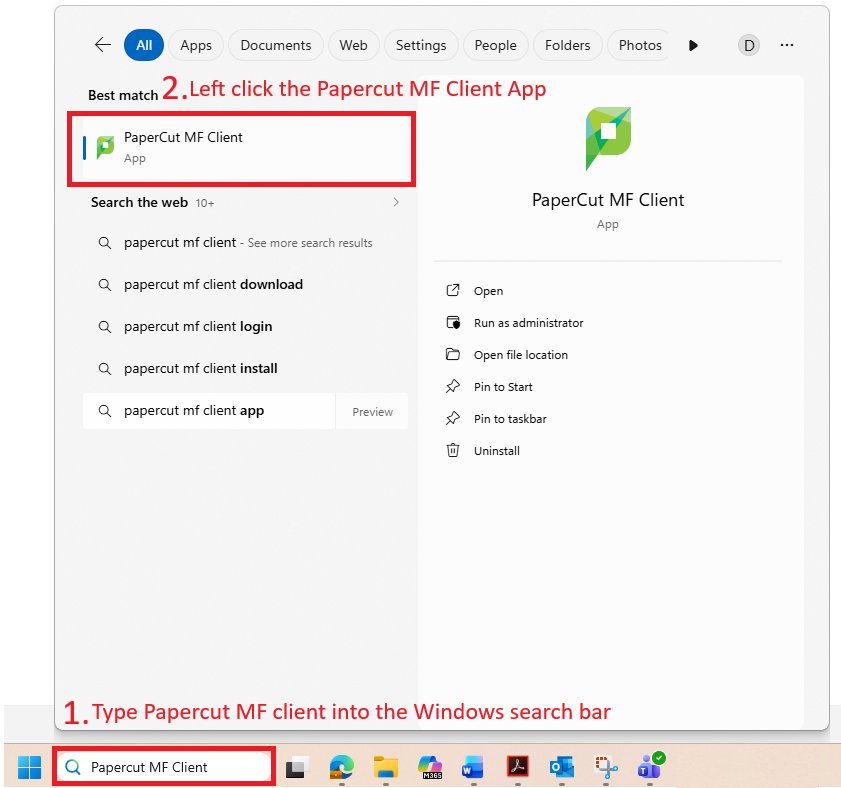
2. If you are still unable to print after following those 2 steps, please restart your device i.e. laptop/desktop PC.
3. If restarting your laptop/desktop doesn't resolve the issue, restart the photocopier (this also fixes card swipe reader issues).
4. If resetting the photocopier does not work, and you are still unable to print after following these steps please advise via Freshdesk.